
⭐ Watchlist
Watchlist Overview
The Watchlist is a dedicated section designed to help users easily track and manage projects they find from Discover or other sections within Arbus. It allows users to efficiently monitor their selected projects, making portfolio management more streamlined and organized.
By adding projects to the Watchlist, users can keep a closer eye on key metrics, track important developments, and access essential information about their favorite projects in one convenient location.
Features of the Watchlist
- Easy Project Tracking: Quickly add projects from Discover or other sections to your Watchlist for streamlined monitoring.
- Portfolio Management: Manage your portfolio more effectively by keeping all your chosen projects organized in one place, making it easier to oversee performance and trends.
- Access Key Information: View project titles, metrics, and key events at a glance, ensuring you stay informed about developments and opportunities related to your selected projects.
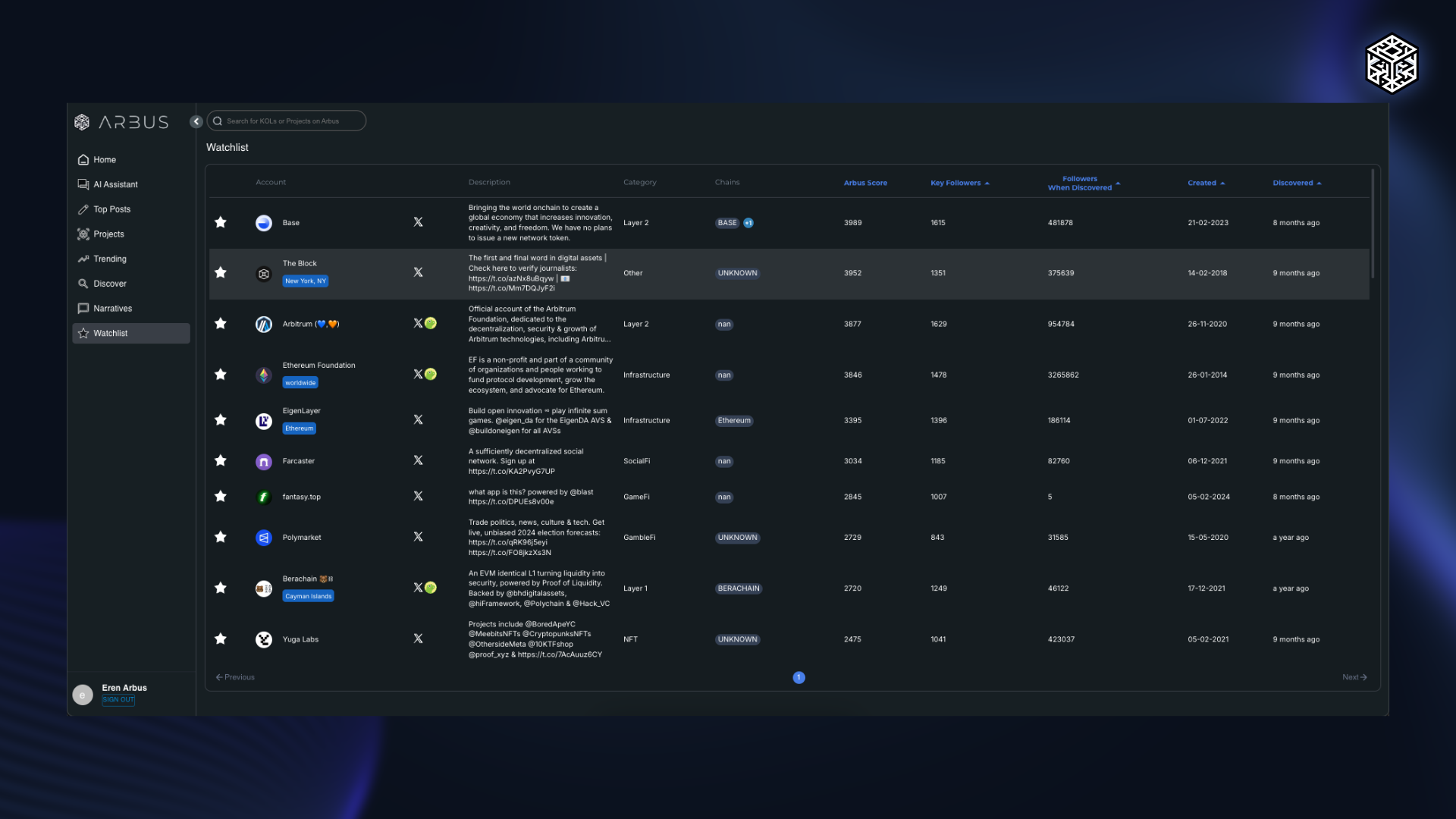
The Watchlist provides a simple and efficient way to manage and track projects, making it a valuable tool for anyone looking to stay organized and informed about their investments within the Web3 ecosystem. It enhances your ability to monitor and respond to market changes with ease.