
📈 Trending
Trending Section Overview
The Trending Section is a feature in Arbus that helps track the most rapidly rising and popular projects on CT. By utilizing Arbus Score and Key Followers metrics, this section highlights the projects that are gaining the most attention and traction in crypto market.
It's designed to give users a clear view of what topics and projects are currently trending, allowing them to stay informed about what the crypto community is discussing and what is gaining popularity.
The Trending Section leverages Arbus’s tracking capability to continuously monitor market activity and emerging projects. This tracking ensures that users receive up-to-date information on what’s trending, making it a valuable tool for staying ahead in the rapidly changing crypto market.
Features of the Trending Section
- Tracking Rapidly Rising Projects: Shows the projects that are quickly gaining popularity, helping users keep up with the latest trends and developments.
- Crypto Twitter (X) Insights: Provides insights into what the crypto community is talking about, highlighting the most discussed topics and projects.
- Search and Filter Options: Includes tools to directly search for projects or influencers (Threadors), filter tweets by specific time frames, and use quick-select date filters for more efficient browsing.
- Structured Data Display: Projects are listed with details like the project name, direct Twitter links, a brief description, the count of key followers, the number of tweets at the time of discovery, and the date the project was first noticed by Arbus.
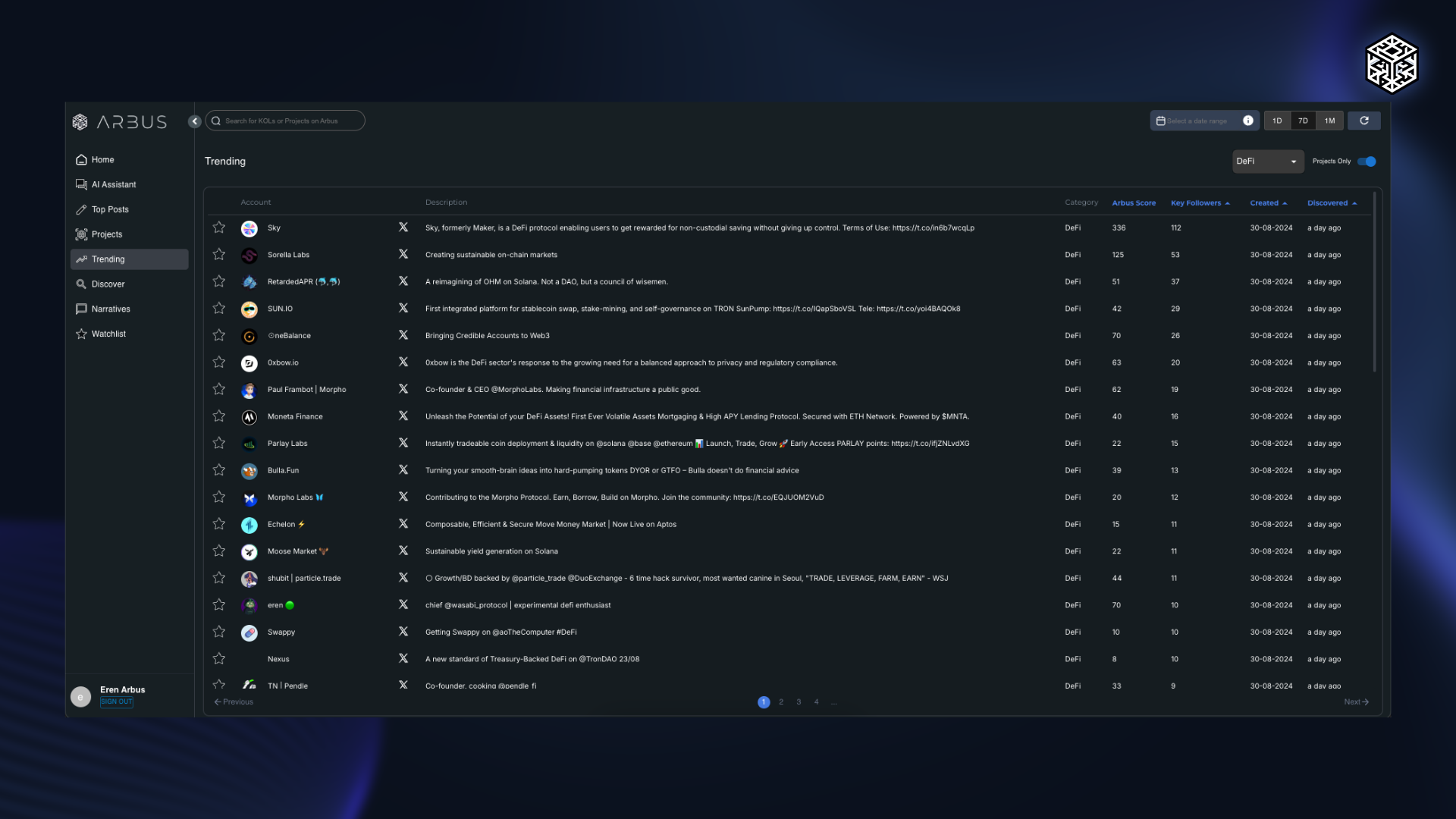
The Trending Section is essential for anyone looking to understand what’s currently capturing attention in the crypto world. With its focus on rapidly rising projects and real-time insights, it provides a comprehensive view of the most popular and talked-about topics, helping users stay informed and strategically engaged in the Web3 ecosystem.