🏠 Home
Home Page Overview
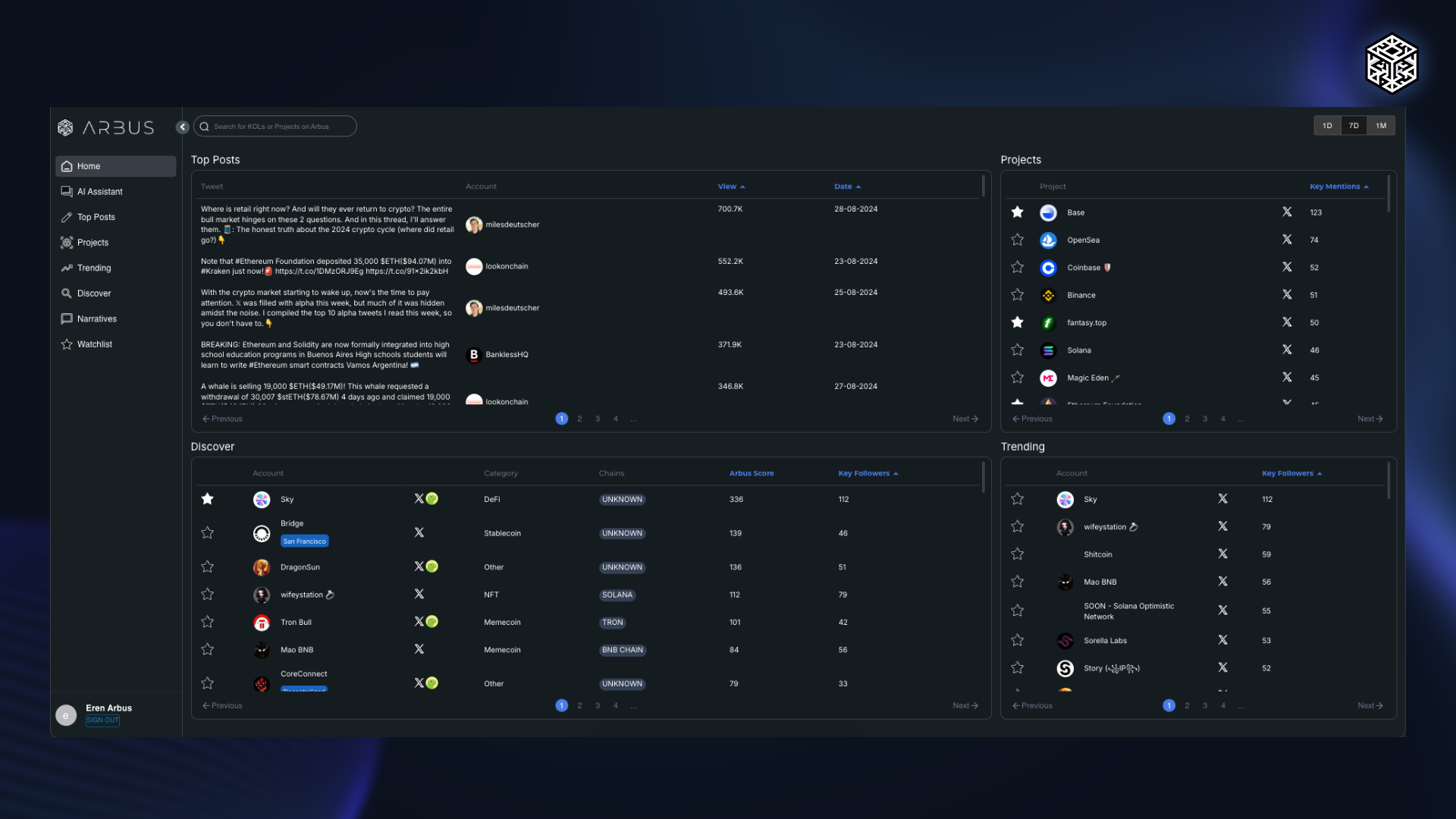
The Home Page is the first screen you encounter in Arbus Terminal, providing a starting point for your research. It features a simple search bar for finding specific Individuals or Projects. Adjacent to the search bar is a date filter that allows you to narrow down results by selecting specific time periods.
The page is divided into four main sections:
- Top Posts: This section displays the most popular posts that have received the highest number of views within the selected date range. It highlights key conversations and trends that are capturing attention in the Web3 space.
- Mentions: This section focuses on projects that have the highest number of Key Mentions during the selected date range. It provides insights into which projects are gaining the most attention and engagement.
- Discover: This section showcases projects with the highest Arbus Scores and Key Followers within the selected date range. It helps users identify new and emerging projects that are gaining traction among key influencers, providing early insights into potential opportunities.
- Trending: In this section, you can see projects that have the highest number of Key Followers sorted by the selected time period. It highlights projects that are gaining momentum and attracting significant interest from the CT.