
🔍 Discover
Discover
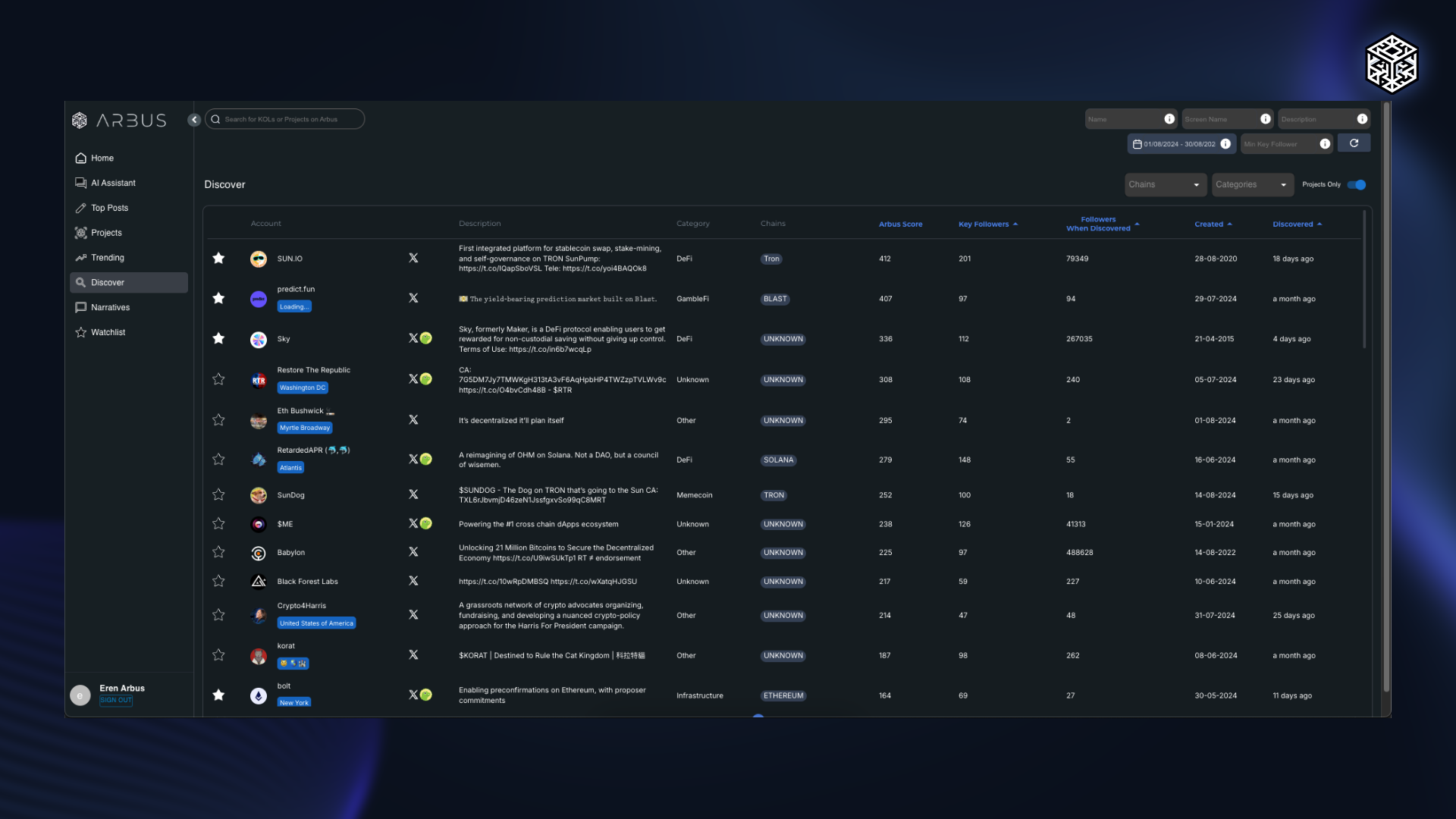
The Discover Section is designed to help users find early-stage projects with high potential before they become widely known. This section provides detailed information about new projects, including their Arbus Score, Key Followers, follower count at the time of discovery, and other critical metrics.
Users can see when a project was first discovered by Arbus, how many followers it had at that time, and even the creation date of its Twitter (X) account. By offering a comprehensive view of these early indicators, the Discover Section allows users to identify and track promising projects at the earliest stages.
Features of the Discover Section
- Early-Stage Project Discovery: Showcases new and promising projects, enabling users to identify alpha opportunities quickly. Projects are updated hourly for accuracy and relevance.
- Extensive Filtering Options: Users can filter projects by name, category, and associated blockchain networks, allowing for a targeted search experience that matches specific interests.
- Extensived Data Display: Includes columns with project names, Twitter descriptions, direct links to their Twitter accounts, the number of key followers, follower count at discovery, the creation date of the project's Twitter account, and alerts related to token launches.
How Different Users Benefit
- Alpha Hunters: Discover high-potential projects early on, gaining a competitive edge by capitalizing on opportunities before they become mainstream.
- VCs: Identify emerging projects that align with their investment strategies, allowing them to invest in innovative ventures at an early stage.
- Marketers: Gain insights into which new projects are gaining traction, enabling targeted marketing efforts and strategic partnerships to maximize project visibility and impact.
The Discover Section is a valuable tool for identifying and tracking early-stage projects with growth potential. By providing detailed insights and filtering options, users can navigate the Web3 landscape effectively, ensuring they stay ahead in discovering new opportunities as they arise.